Introduction#
Multiplied is a library for exploring and quickly defining combinational multiplication algorithms. The library also bundles built-in tools to analyse and visualise algorithms through Pandas and Matplotlib.
The Problem#
Generating and analysing multiplier designs by hand is labour intensive, even for small datasets, for entire truth tables it’s close to impossible.
Multiplied is built to streamline this process:
Custom partial product reduction via templates
Generating complete truth tables
Analysis, plotting, and managing datasets
Fine-grain access to bits, words or stages
Pattern Based Algorithm#
Multiplied uses an Algorithm object to group stages, each made up of a Template, Matrix, and a Map.
Patterns represent simple templates
Automatic mapping based on empty rows
“Pseudo” matrix to visualise possible bit positions for arithmetic outputs.
p = mp.Pattern(['a','a','b','b','c','c','d','d'])
alg = mp.Algorithm(8)

# detects pattern, generates Template and Map based on prior stage
alg.push(p)
print(alg)
0:{

template:{

________AaAaAaAa
_______aAaAaAaA_
______BbBbBbBb__
_____bBbBbBbB___
____CcCcCcCc____
___cCcCcCcC_____
__DdDdDdDd______
_dDdDdDdD_______

______AaAaAaAaAa
________________
____BbBbBbBbBb__
________________
__CcCcCcCcCc____
________________
DdDdDdDdDd______
________________
}

pseudo:{

______AaAaAaAaAa
____BbBbBbBbBb__
__CcCcCcCcCc____
DdDdDdDdDd______
________________
________________
________________
________________
}

map:{

00 00 00 00 00 00 00 00 00 00 00 00 00 00 00 00
00 00 00 00 00 00 00 00 00 00 00 00 00 00 00 00
FF FF FF FF FF FF FF FF FF FF FF FF FF FF FF FF
00 00 00 00 00 00 00 00 00 00 00 00 00 00 00 00
FE FE FE FE FE FE FE FE FE FE FE FE FE FE FE FE
00 00 00 00 00 00 00 00 00 00 00 00 00 00 00 00
FD FD FD FD FD FD FD FD FD FD FD FD FD FD FD FD
00 00 00 00 00 00 00 00 00 00 00 00 00 00 00 00
}
Automatic Template Generation#
Extend the previous single stage, pattern based algorithm using auto resolution:
alg.auto_resolve_stage(recursive=True)
Algorithm Execution#
With the algorithm object complete, you can execute it with the following code:
result = alg.exec(42, 255)

for m in result.values():
    print(m)

# convert result to decimal
print(int("".join(alg.matrix.matrix[0]), 2))
print(a*b)
________00101010
_______00101010_
______00101010__
_____00101010___
____00101010____
___00101010_____
__00101010______
_00101010_______

______0011010110
______00010100__
___0011010110___
___00010100_____
0001111110______
________________
________________
________________

___0011000110110
_____00110100___
00100010000_____
________________
________________
________________
________________
________________

0010010110010110
__0001000100____
________________
________________
________________
________________
________________
________________

0010100111010110
________________
________________
________________
________________
________________
________________
________________

10710
10710
Analysis#
Generated data returns as a Pandas DataFrame ready for manipulation and vidualisation:
import pandas as pd

domain_ = (1, 255)  # range of possible operand values for a and b
range_ = (1, 65535)  # range of possible output values
scope = mp.truth_scope(domain_, range_)  # generator clamps range to domain

# scope yields input tuples (a, b) to generate a Pandas DataFrame
df = mp.truth_dataframe(scope, alg)

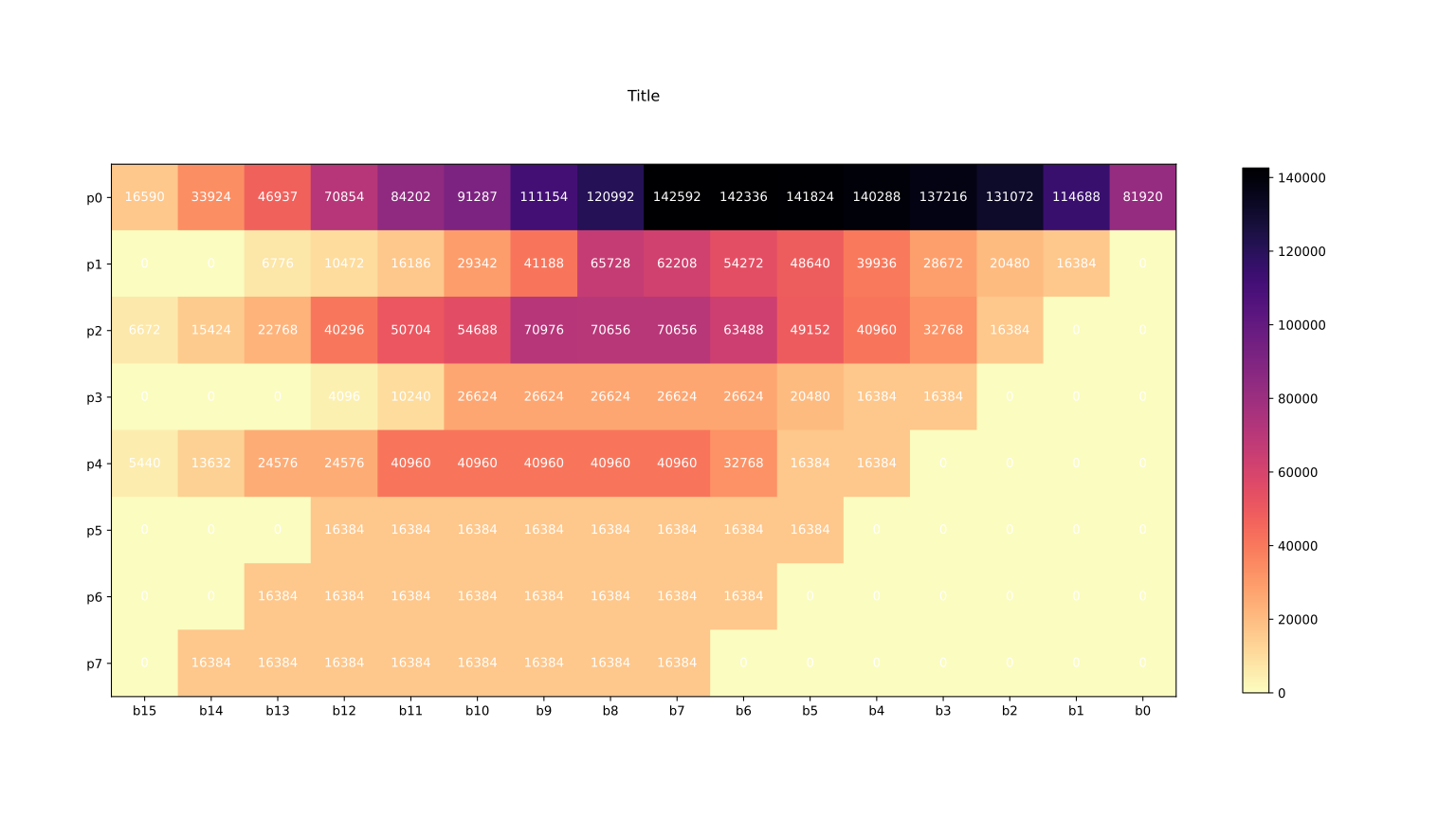
# Generate cumulative heatmap of all stages
mp.df_global_heatmap("example.svg", "Title", df)

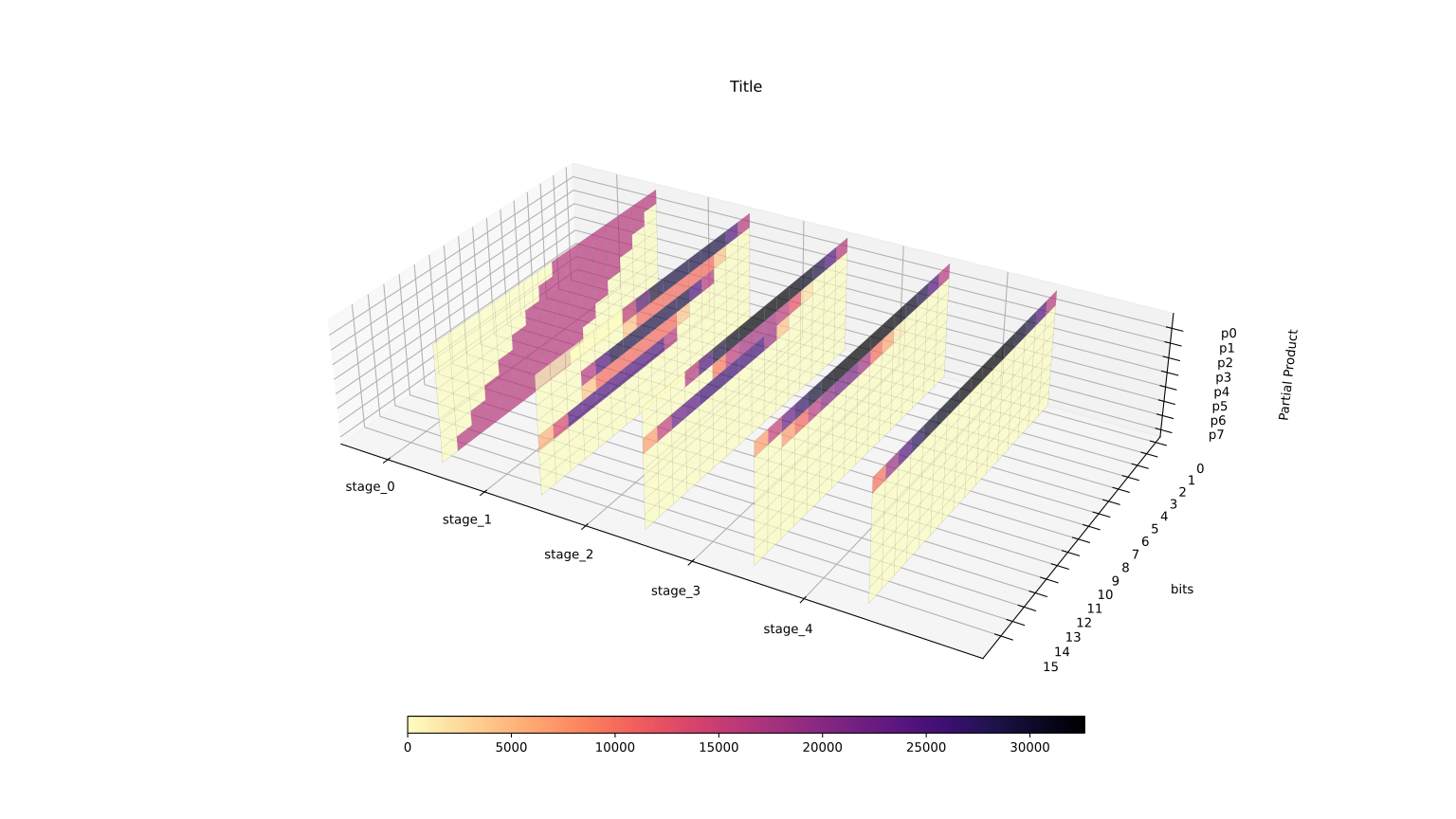
# Generate and stack 2d heatmaps of each stage
mp.df_global_3d_heatmap("example3d.svg", "Title", df)
import pandas as pd

domain_ = (1, 255)  # range of possible operand values for a and b
range_ = (1, 65535)  # range of possible output values
scope = mp.truth_scope(domain_, range_)  # generator clamps range to domain

# scope yields input tuples (a, b) to generate a Pandas DataFrame
df = mp.truth_dataframe(scope, alg)

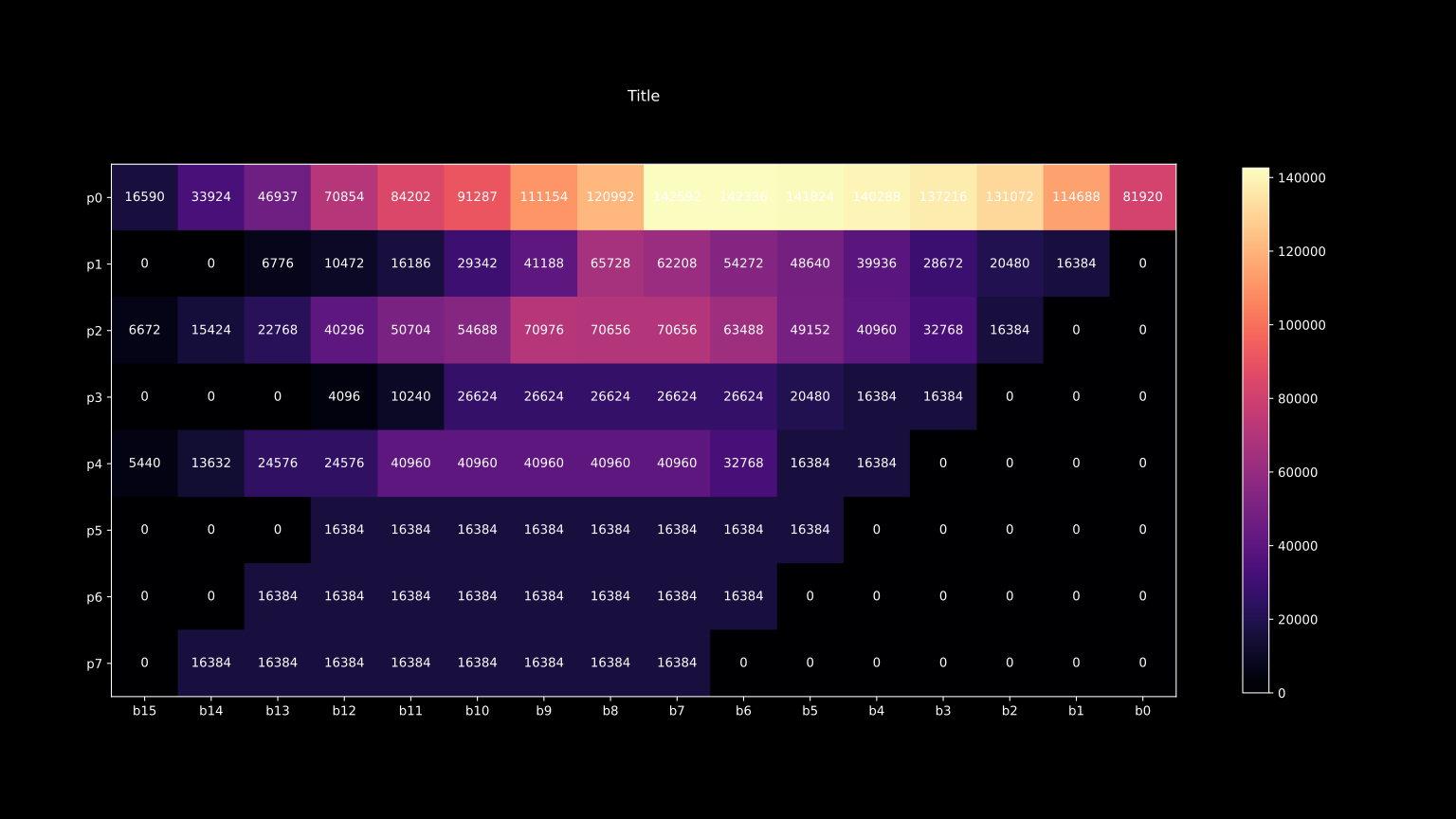
# Generate cumulative heatmap of all stages
mp.df_global_heatmap("example.svg", "Title", df, dark=True)

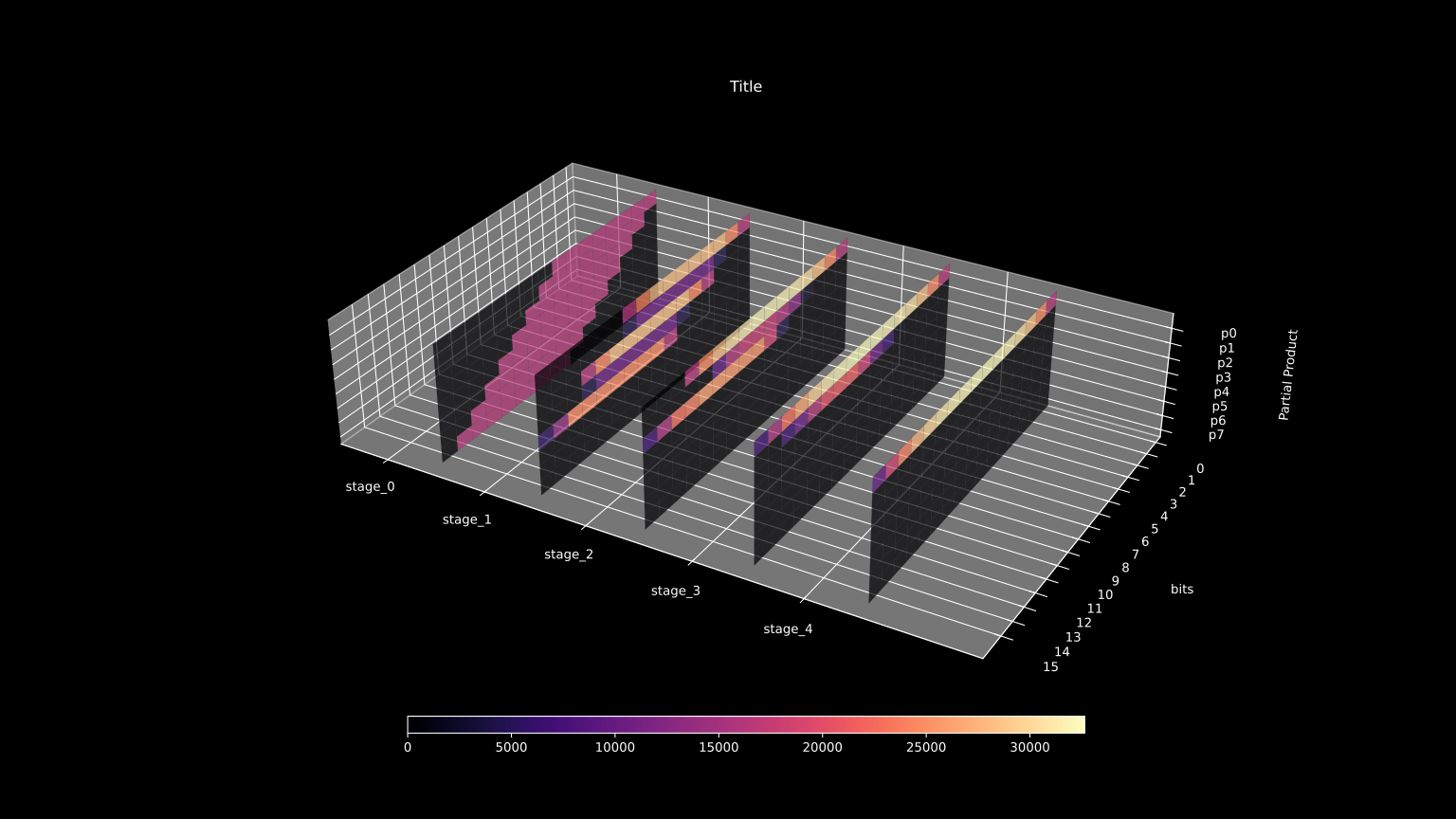
# Generate and stack 2d heatmaps of each stage
mp.df_global_3d_heatmap("example3d.svg", "Title", df, dark=True)